
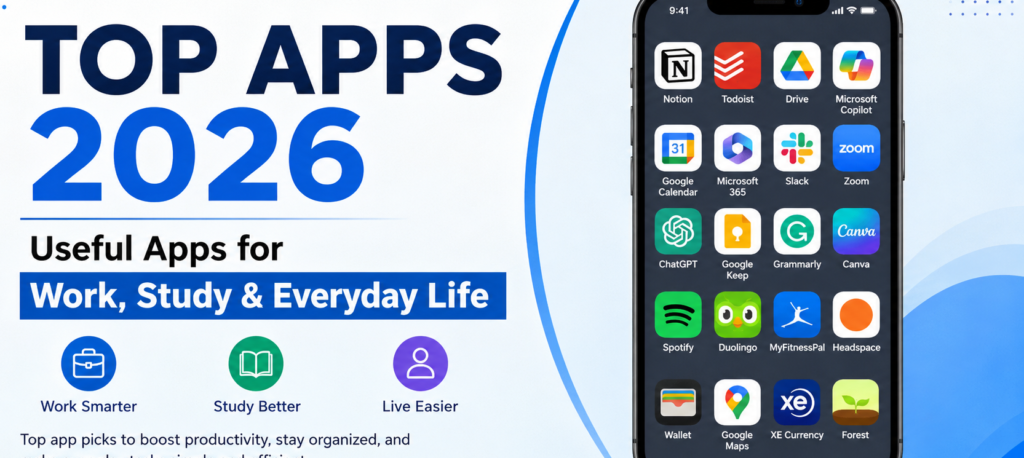
Smartphones have evolved far beyond basic communication devices. They serve as portable workstations, study companions, financial managers, navigation tools, and personal entertainment centers. With millions of applications available across digital storefronts, turning a device into a truly useful tool requires selecting software that fits seamlessly into your daily routine.
Finding useful applications is not about installing whatever happens to be trending. It is about choosing simple, reliable software that solves real problems without cluttering your digital life or compromising your personal privacy.
Key Application Categories and Selection Guidelines
When evaluating new software for your phone or computer, focus on utility, security, and long-term value over pure popularity.
| Application Category | Primary Utility | Essential Features to Look For | Common Pitfalls |
|---|---|---|---|
| Productivity & Notes | Task management, project planning, and quick information retrieval. | Reliable cross-device syncing, strong search functionality, clean interface. | Over-complicating workflows by using too many competing systems at once. |
| Learning & AI Assistants | Topic breakdowns, language practice, drafting, and research support. | Clear explanations, configurable privacy settings, exported reference notes. | Accepting generated answers without verifying accuracy independently. |
| Finance & Budgeting | Expense tracking, monthly budgeting, and long-term savings goals. | Strong encryption, clear privacy policies, automated categorization. | Sharing sensitive financial credentials with unverified or obscure platforms. |
| Health & Navigation | Movement tracking, route planning, transit updates, and wellness habits. | Offline map access, battery-efficient background tracking, clear controls. | Becoming overly anxious about daily metrics or blind reliance on mapping data. |
| Focus & Organization | Time management, app blocking, cloud backup, and credential storage. | End-to-end encryption, multi-platform access, customizable timers. | Relying on complex setups that take more time to manage than to use. |
Core Digital Categories for Daily Efficiency
1. Productivity and Task Management
Productivity tools exist to organize daily responsibilities, manage professional projects, and track deadlines. A simple task manager allows you to create checklists, set realistic reminders, and keep long-term goals visible. However, spreading tasks across too many platforms creates digital clutter. Choosing one primary task system and sticking to it is far more effective than constantly jumping between new management tools.
2. Note-Taking and Knowledge Capture
A solid note-taking platform serves as a second brain for ideas, meeting details, lecture materials, and research. Modern note tools often include optical character recognition for scanned documents, voice input, and cross-device synchronization. The single most important feature to look for is fast, dependable search. Being able to retrieve a specific note from six months ago in seconds saves immense time and effort.
3. Learning and Educational Tools
Digital educational tools offer interactive exercises, flashcards, language drills, and targeted subject explanations. While these tools make reviewing concepts far more accessible, they should complement active thinking rather than replace it. An application that provides instant answers without requiring you to engage with the underlying material does not build true understanding. Use learning software to practice, review, and test your knowledge actively.
4. Artificial Intelligence Assistants

AI-powered software can assist with brainstorming, drafting initial documents, organizing notes, summarizing lengthy text, and writing code. These platforms excel at processing ideas quickly, but their output requires careful review. AI models can generate plausible-sounding inaccuracies. Always verify important facts independently, especially when working on academic, financial, medical, or professional tasks.
5. Communication and Collaboration
Messaging platforms, video conferencing tools, and group workspaces keep teams and families connected. For remote work or group study, these platforms simplify coordination immensely. The primary challenge is managing notifications. Constant alerts interrupt focus and create unnecessary stress. Configuring notification hours and disabling non-essential pings ensures technology serves your schedule rather than controlling it.
6. Calendar and Schedule Management
A dedicated calendar is one of the most powerful organization tools on any device. Mapping out classes, meetings, travel, and personal commitments gives you a clear visual representation of your available time. To keep a schedule realistic, avoid packing every hour with obligations. Leaving open buffers between commitments accounts for unexpected delays and prevents daily burnout.
Management, Utility, and Practical Tools
7. Personal Finance and Budgeting
Budgeting tools help track daily spending habits, categorize expenses, and monitor savings goals. Seeing where small, recurring purchases add up over several months provides valuable financial clarity. Because financial tools handle sensitive data, security must be your primary filter. Prioritize established developers with clear privacy policies and robust security standards.
8. Health, Fitness, and Wellness

Fitness applications can help you track daily step counts, workouts, sleep quality, and hydration levels. These metrics provide useful feedback when building healthy routines. However, tracking should remain a supportive tool rather than a source of anxiety. If monitoring numbers turns simple movement into a stressful competition, simplify your approach and focus on how you feel instead.
9. Navigation and Travel Planning
Travel and mapping tools simplify transit, provide live traffic updates, offer offline directions, and help manage itineraries in unfamiliar places. Before embarking on trips—especially international travel—download necessary maps and documents for offline use. Mobile data access is not always guaranteed, and preparing offline files prevents stressful navigation issues in low-connectivity areas.
10. Security and Credential Management
Managing unique passwords for dozens of online services is nearly impossible without software support. Password managers securely store credentials, generate complex passwords, and autofill login fields across devices. Using an encrypted password manager combined with two-factor authentication dramatically improves your personal cybersecurity footprint while eliminating the frustration of forgotten passwords.
+-------------------------------------------------------------------+
|                   SMART APPLICATION SELECTION                     |
+-------------------------------------------------------------------+
|  1. IDENTIFY NEED   -> Pinpoint a specific daily friction point.   |
|  2. RESEARCH FEW    -> Compare 2-3 established options only.        |
|  3. CHECK PRIVACY   -> Audit permissions & security standards.    |
|  4. START SIMPLE    -> Use core features before adding complexity.|
|  5. AUDIT REGULARLY -> Delete unused software & end subscriptions. |
+-------------------------------------------------------------------+
Maintaining a Clean and Secure Device
Evaluate Free Versus Paid Options
Free software often relies on advertising or restricts essential features behind paywalls. Conversely, paid software is not automatically superior. Before committing to a monthly subscription, verify whether the software addresses a persistent need or if a one-time purchase or free alternative is sufficient. Track recurring software subscriptions carefully to avoid paying for tools you no longer use.
Protect Your Digital Privacy

As software grows more integrated with daily routines, data privacy requires deliberate attention:
- Audit Permissions: Review whether an application actually needs access to your contacts, location, microphone, or camera to function properly.
- Deny Excess Access: If a basic note app or simple game requests precise location data, deny the permission.
- Review Data Policies: Opt out of unnecessary data collection, analytics sharing, or location tracking in the settings menu of individual tools.
Keep Your Digital Workspace Organized
An cluttered device home screen creates unnecessary visual fatigue and makes finding essential tools difficult. Organize your software into clear, functional folders based on purpose—such as Finance, Work, Travel, and Utilities. Delete unused applications regularly to free up local storage space, improve battery life, and reduce potential security vulnerabilities.
Technology is most effective when it runs quietly in the background, making real-world tasks faster, simpler, and less stressful. By choosing software intentionally, prioritizing data privacy, and keeping your digital space organized, you ensure your device remains a valuable assistant rather than a source of constant distraction.
FAQ’s
1. What are the best apps for everyday life in 2026?
Useful options include productivity, note-taking, calendar, communication, finance, travel, and AI assistant apps.
2. Which apps are useful for students?
Note-taking, study, calendar, cloud storage, writing, and AI learning tools can help students organize their studies and manage assignments.
3. Which apps are best for work?
Task managers, calendar apps, communication platforms, cloud storage, document editors, and AI assistants can make everyday work more organized.
4. Are free apps good enough?
Yes. Many free apps provide useful features, although some advanced tools may require a paid subscription.
5. How should I choose a new app?
Check its features, reviews, privacy practices, security, subscription costs, and whether it actually solves a problem you have.