
Apps have become a normal part of everyday life. People use them to communicate, shop, travel, learn, work, manage money, watch videos, order food, and stay connected. Most users simply open an app, tap a button, and expect everything to work.
But what happens behind the screen?
Modern apps are built from many connected technologies. The interface users see is only one part of a much larger system that may include servers, databases, APIs, cloud services, security systems, analytics, and artificial intelligence.
Understanding how these pieces work together can make it easier to understand why some apps feel fast and simple while others feel complicated or unreliable.
What Is an App?
An app is software designed to perform specific tasks on a device or through a web browser.
Mobile apps generally run on smartphones and tablets, while web apps can be accessed through internet browsers. Desktop applications are designed for computers.
Although apps can look very different, most rely on a combination of user interfaces, programming logic, data storage, network communication, and external services.
The app on your device is often just the visible part of the overall system.
The User Interface
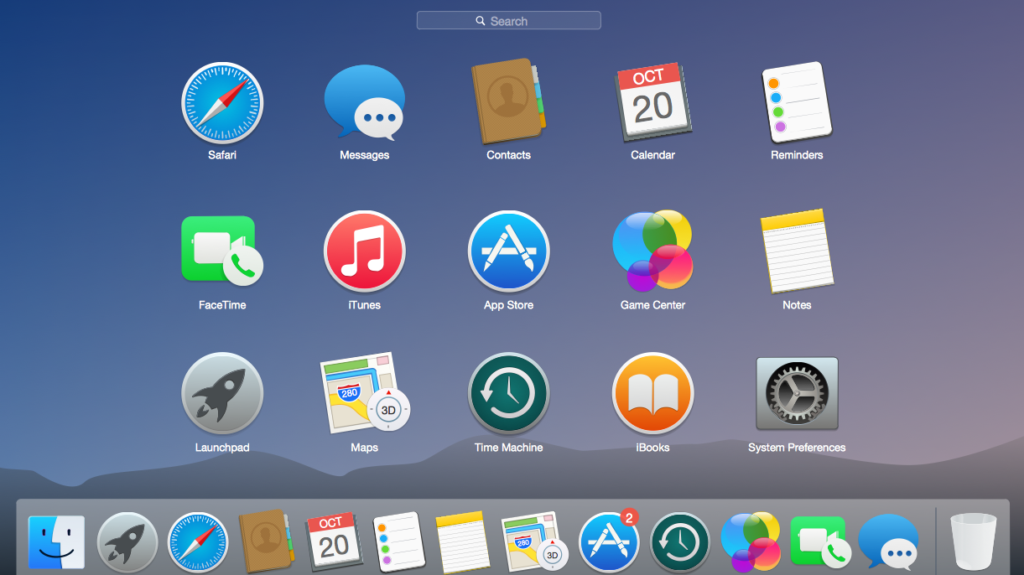
The user interface, often called the UI, is what you interact with directly.
It includes buttons, menus, icons, images, text, forms, animations, and navigation elements.
A good interface should make it clear what users can do and how they can complete a task.
For example, a shopping app may provide product categories, search, filters, product pages, a shopping cart, and checkout options.
The design may look simple, but each interaction can trigger several processes behind the scenes.
How App Features Work
Every feature has a purpose.
A search feature, for example, allows users to enter a query and receive relevant results. A notification feature can inform users about new messages or updates. A payment feature may connect the app to a payment service.
When you tap a button, the app may send information to a server, request data, process the response, and then display the result.
This process can happen in a fraction of a second.
The smoother the system, the less users notice what is happening behind the scenes.
Front-End and Back-End Technology
App development is often divided into two major areas: front end and back end.
The front end is the part users interact with. It includes the visual interface and interactions.
The back end handles many of the processes users do not see.
It may manage user accounts, databases, authentication, payments, business logic, notifications, and other services.
The front end and back end communicate through systems such as APIs.
Together, they create the complete app experience.
What Is an API?
An API, or application programming interface, allows different software systems to communicate.
Imagine an app that displays weather information.
The app may request current weather data from another service through an API. The external service processes the request and returns information that the app can display.
APIs are used in many types of applications.
They can connect apps with payment services, maps, social platforms, databases, analytics systems, AI models, and other online services.
Without APIs, many modern digital experiences would be much harder to build.
Databases and App Data
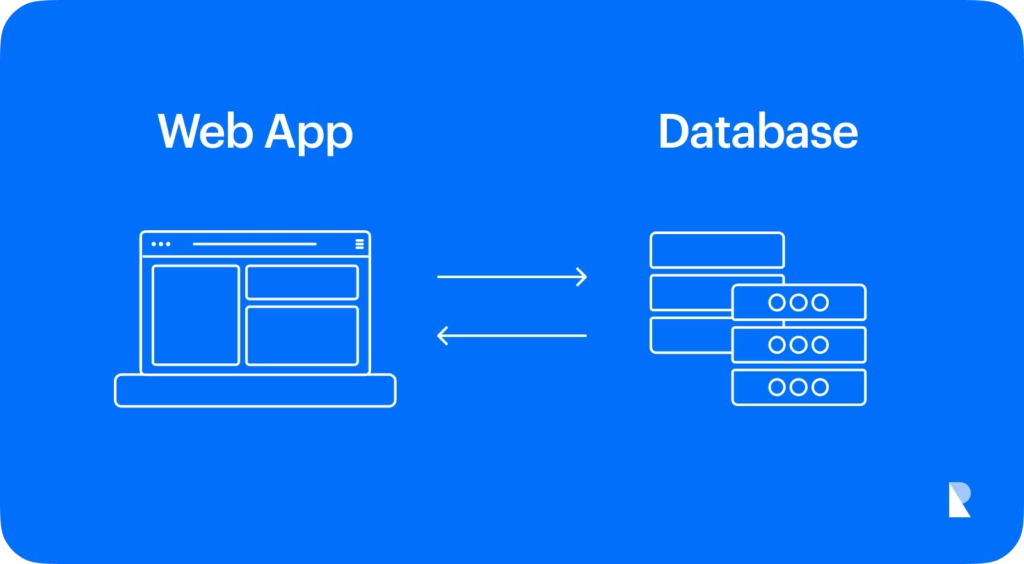
Apps often need to store information.
A social media app may store user profiles, posts, comments, and preferences. A shopping platform may store product details, orders, and customer information.
Databases are designed to organize and retrieve this information efficiently.
When you log into an app, the system may retrieve information from one or more databases and display it on your screen.
The type of database used depends on the application’s requirements, including the amount of data, performance needs, structure, and scalability.
Cloud Technology
Many modern apps rely on cloud infrastructure.
Cloud services allow companies to run applications, store information, process requests, and scale resources using internet-based infrastructure.
Instead of keeping everything on a user’s device, an app can communicate with remote servers.
Cloud technology can make it easier for companies to support large numbers of users.
It can also help applications scale when demand increases.
Why Some Apps Feel Faster
App performance depends on many factors.
The device, internet connection, server response time, database performance, code quality, image sizes, and network requests can all affect speed.
Developers use different techniques to improve performance.
They may compress images, cache frequently used information, reduce unnecessary network requests, optimize databases, and improve application code.
A fast app is not simply about attractive design. Performance is an important part of user experience.
The Role of Artificial Intelligence
Artificial intelligence has become an increasingly important part of modern applications.
AI can help apps understand language, recognize images, analyze patterns, generate content, personalize recommendations, detect unusual activity, and automate certain tasks.
For example, an app may use AI to recommend videos based on viewing behavior or help users find information through natural-language questions.
AI can make applications more responsive and personalized, but it also introduces new challenges involving accuracy, privacy, bias, and security.
How AI Features Work
AI features generally rely on models trained to recognize patterns in data.
A user provides some type of input, such as text, an image, voice, or behavior.
The AI system processes that input and produces an output.
For example, a writing assistant may analyze a sentence and suggest a clearer version.
A recommendation system may analyze patterns in user behavior and predict which content might be relevant.
The exact technology varies depending on the purpose of the feature.
Machine Learning in Apps
Machine learning is a branch of AI that allows systems to identify patterns and make predictions from data.
Apps can use machine learning for many purposes.
Examples include:
- Product recommendations
- Spam detection
- Fraud monitoring
- Search ranking
- Image recognition
- Voice recognition
- Personalized content
- Predictive notifications
Machine learning systems can improve when they are trained with high-quality data and evaluated carefully.
However, more data does not automatically mean better results.
The quality and relevance of the data are also important.
Generative AI in Modern Apps
Generative AI can create new content based on user instructions or other inputs.
It can generate text, images, audio, code, summaries, ideas, and other forms of content.
Apps can integrate generative AI into writing assistants, customer support systems, design platforms, search experiences, educational products, and productivity tools.
However, generated information may sometimes be inaccurate or incomplete.
Users should verify important information rather than assuming that AI-generated content is always correct.
Personalization and Recommendations

Many apps use data to personalize the experience.
Streaming platforms may recommend movies or music. Shopping platforms may suggest products. News apps may prioritize topics based on user interests.
Recommendation systems can use signals such as previous activity, preferences, searches, clicks, and other relevant information.
Personalization can make apps more convenient, but it also raises questions about privacy and how user data is collected and used.
Notifications and Real-Time Features
Notifications keep users informed about events and updates.
A messaging app may notify you when someone sends a message. A travel app may provide an alert about a schedule change. A banking app may notify you about account activity.
Real-time features require communication between the application and its supporting systems.
Developers must balance usefulness with frequency.
Too many notifications can become annoying and may cause users to disable them.
App Security
Security is one of the most important parts of app development.
Apps may handle personal information, account credentials, payment information, private messages, or business data.
Developers use security measures such as encryption, authentication, authorization, secure connections, monitoring, and access controls.
Users also have an important role.
Using strong passwords, enabling multi-factor authentication, keeping apps updated, and avoiding suspicious links can improve account security.
Privacy and User Data

Modern apps often collect some form of information.
This may include account information, device details, preferences, activity, or location, depending on the app and its permissions.
Privacy policies should explain how information is collected and used.
Users should review app permissions and only provide access that makes sense for the app’s purpose.
Companies should also minimize unnecessary data collection and protect information responsibly.
Why App Updates Matter
Apps are regularly updated for several reasons.
An update may introduce new features, improve performance, fix bugs, strengthen security, or improve compatibility with newer devices and operating systems.
Some updates are mostly invisible to users but may address important technical issues.
Keeping apps updated can therefore be an important part of maintaining security and performance.
How Apps Handle Large Numbers of Users
A small app may start with a limited number of users.
If it becomes popular, the technology behind it must handle much more traffic.
Developers can use cloud infrastructure, load balancing, caching, databases, content delivery networks, and other technologies to improve scalability.
Scalability allows an application to continue operating as the number of users grows.
This is especially important for apps that experience sudden spikes in activity.
Software Testing

Before an app reaches users, it usually needs extensive testing.
Developers test different features, devices, operating systems, network conditions, and user interactions.
Testing can identify bugs and usability problems.
Security testing is also important for applications that handle sensitive information.
Even after launch, developers continue monitoring and improving applications because new problems can appear as users interact with the system in unexpected ways.
App Analytics
Analytics help developers understand how an app is being used.
Depending on the product and privacy practices, analytics may provide information about features users interact with, navigation patterns, performance issues, and other product metrics.
This information can help development teams identify areas for improvement.
Good analytics should be used responsibly and with appropriate attention to privacy.
Accessibility in App Design
An app should be usable by as many people as reasonably possible.
Accessibility can include readable text, sufficient contrast, screen-reader support, keyboard navigation, captions, alternative text, clear controls, and other design considerations.
Accessibility is not simply an extra feature.
It can make an app easier to use for people with different abilities, devices, and circumstances.
Why Simplicity Matters
Technology can be extremely complicated behind the scenes while remaining simple for users.
That is often a sign of good product design.
Users generally do not want to understand databases, APIs, servers, or machine learning models every time they use an app.
They want to accomplish their goal quickly.
Successful apps often hide technical complexity behind straightforward experiences.
The Future of App Technology
The future of apps is likely to involve deeper integration of AI, automation, personalization, cloud computing, voice interfaces, and real-time services.
AI assistants may become more capable of completing tasks rather than simply responding to questions.
Apps may also become more proactive by predicting what users need and presenting relevant information at the right time.
At the same time, privacy, security, transparency, and responsible AI use will become increasingly important.
What Users Should Look For in a Good App

When choosing an app, look beyond appearance.
Consider:
- Is it easy to use?
- Does it perform reliably?
- Does it receive regular updates?
- Are privacy practices clear?
- Does it request reasonable permissions?
- Does it offer useful features?
- Is customer support available?
- Does it work well on your device?
- Does it provide appropriate security?
A beautiful interface is useful, but reliability and trust matter just as much.
FAQ’s
1. How do apps work?
Apps combine interfaces, code, databases, servers, APIs, and other technologies to deliver features and services.
2. How is AI used in apps?
AI can power recommendations, chatbots, image recognition, voice features, content generation, and personalization.
3. What is an API in an app?
An API allows an app to communicate and exchange information with other software or online services.
4. Why do apps need updates?
Updates can add features, fix bugs, improve performance, and strengthen security.
5. How can users protect app privacy?
Use strong passwords, enable multi-factor authentication, review permissions, and keep apps updated.