
Mobile applications are so deeply integrated into daily routines that few people stop to consider what occurs behind the glass display. Tapping an icon triggers a rapid sequence of events: feeds refresh, payments clear, weather models update, and messages deliver across continents in milliseconds.
Behind these straightforward visual interfaces lies a coordinated network of software layers, remote servers, structured databases, encrypted communication paths, and hardware integrations. Modern apps are not merely static pages on a screen. They are active entry points into large-scale computing systems engineered to communicate with local device hardware and distant internet services simultaneously.
Defining the Core Boundaries of Mobile Software
A mobile application is a software package compiled to execute specific instructions on a mobile operating system, such as iOS or Android. However, the architectural complexity of an app varies significantly based on where its primary processing occurs.
                         [ MOBILE APPLICATION TYPES ]
                                       │
       ┌───────────────────────────────┴───────────────────────────────┐
       │                                                               │
       ▼                                                               ▼
[ Client-Side / Local Apps ]                                [ Network-Dependent Apps ]
  - Execution: Directly on device                            - Execution: Shared between device & cloud
  - Examples: Calculators, offline notes                     - Examples: Social feeds, banking, ride-hailing
  - Network: No active connection required                     - Network: Continuous, real-time data sync
Local applications perform their computing tasks entirely on the phone itself. A basic utility, like a native scientific calculator or an offline voice recorder, requires no external internet validation to function.
Conversely, network-dependent applications rely on remote infrastructure. Platforms for ride-hailing, digital banking, content streaming, and social media function as thin client interfaces. Their primary job is to collect input from the user, send that input to remote infrastructure, and render the incoming results cleanly.
The Four Essential Layers of Modern Application Architecture
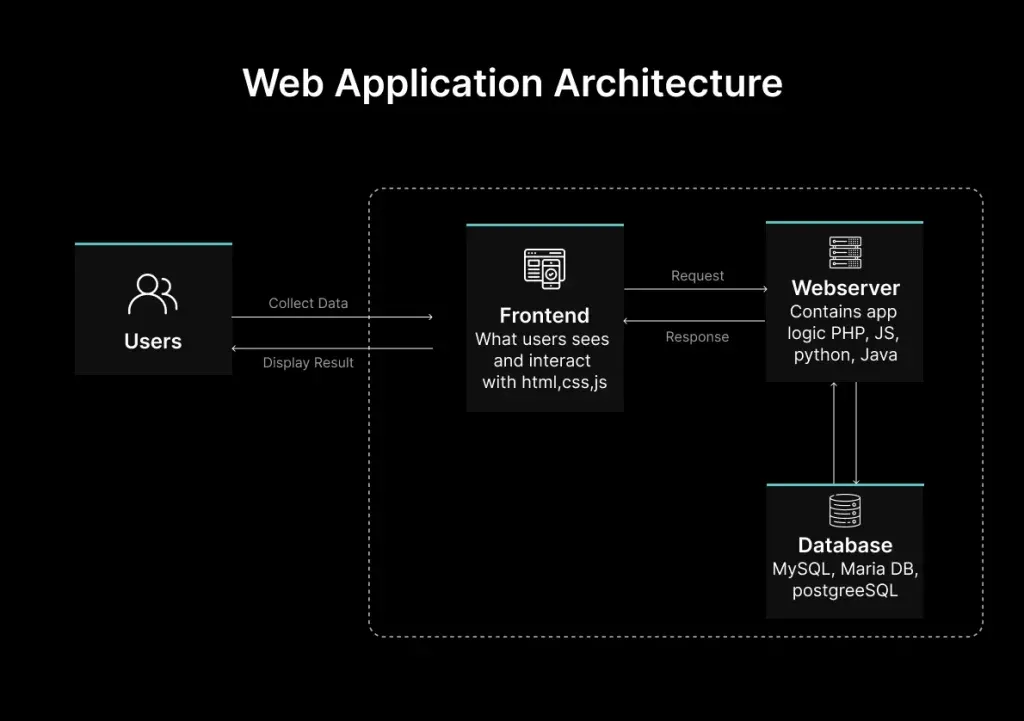
To deliver a reliable experience, every connected mobile application depends on four distinct technical components working in unison.
[ Frontend Interface ] ──► [ Application Logic ] ──► [ Backend Services ] ──► [ Database Storage ]
The table below outlines these structural layers, their primary responsibilities, and their real-world impact on performance.
| Component Layer | Primary Technical Responsibility | Key Technologies Involved | Direct Impact on User Experience |
|---|---|---|---|
| Frontend (Client) | Renders visual elements, captures user touch inputs, executes screen transitions | Swift, Kotlin, React Native, Flutter | Dictates visual clarity, layout responsiveness, and ease of navigation |
| Application Logic | Processes local rules, validates input forms, controls hardware permissions | Native OS Frameworks, Local State Managers | Determines how quickly the app reacts to taps, gestures, and hardware calls |
| Backend (Server) | Handles business rules, account security, data processing, external integrations | Node.js, Python, Java, Cloud Functions | Manages account authentication, transaction processing, and system scaling |
| Database Systems | Organizes, writes, updates, and retrieves structured application records | PostgreSQL, MongoDB, Redis, SQLite | Controls data persistence, history retrieval, and offline access state |
The Request-Response Cycle: What Happens When You Tap
When an application launches, the device’s operating system allocates system memory, assigns processing priorities, and renders the initial cached view. If the application requires live information, it immediately initiates an internet request-response cycle.
                      THE APPLICATON REQUEST CYCLE

  Mobile Device (Client)                   Remote Infrastructure (Server)
  ──────────────────────                   ──────────────────────────────
  1. User triggers action   ───────────►   2. API Gateway receives request
  4. App parses JSON data   ◄───────────   3. Database queries & returns data
  5. Screen updates UI
- Trigger: The user taps a refresh button or opens a section within the app.
- Payload Formulation: The frontend code bundles the user’s request into a structured data packet, often formatted as JSON (JavaScript Object Notation), alongside authentication tokens.
- Transmission: The packet travels over cellular or Wi-Fi networks using secure protocols like HTTPS.
- Server Processing: Remote servers authenticate the user’s token, query the database, apply business logic, and format a response.
- Client Rendering: The mobile app receives the payload, unpacks the data, and updates the visual interface without requiring a full application restart.
APIs: The Connective Tissue of Modern Software
The primary technology enabling mobile client-to-server communication is the API, or Application Programming Interface. An API acts as a standardized contract between separate software systems, allowing them to pass structured data back and forth securely.
[ Mobile Interface ] ──► [ API Gateway ] ──► [ External Service / Database ]
Consider a weather application. The application developer does not build and maintain global meteorological radar systems. Instead, the application connects to a specialized weather service’s API. The app sends a lightweight query containing precise latitude and longitude coordinates. The weather API processes the coordinates, retrieves the current readings from its central database, and sends back a raw data payload. The local app then formats that raw text into clean graphics, temperatures, and hourly forecast charts.
APIs allow applications to incorporate external functionality—such as payment gateways, mapping services, and identity verification tools—without rebuilding complex infrastructure from scratch.
Data Management: Local Storage vs. Remote Databases
Data persistence is what allows software to retain context across sessions. Apps separate their storage needs based on security requirements, access speed, and network availability.
                               DATA PERSISTENCE STACK
                                         │
       ┌─────────────────────────────────┼─────────────────────────────────┐
       │                                 │                                 │
       ▼                                 ▼                                 ▼
[ On-Device Caching ]          [ Relational Databases ]         [ Distributed Cache ]
  - SQLite, Keychain, SharedPrefs  - PostgreSQL, MySQL              - Redis, Memcached
  - Fast, offline access           - Structured, transactional data - High-speed, temporary storage
- Local Cache: Small, non-sensitive operational records—such as user interface preferences, active draft text, or recent image thumbnails—are stored directly in the phone’s local storage. This allows the app to load instantly even without an active internet connection.
- Remote Relational Databases: Sensitive or extensive data, such as account histories, financial ledgers, and inventory records, reside on remote servers. Databases organize information into relational tables or document trees, allowing backend systems to search and filter millions of records in milliseconds.
- In-Memory Caching: High-traffic services use in-memory databases to store frequently accessed data close to the application processing layer, lowering response times for popular content.
Leveraging On-Device Hardware and Security Permissions
Modern smartphones contain complex physical hardware components, including GPS modules, multi-lens camera systems, biometric scanners, accelerometers, and short-range wireless radios. Mobile software interfaces with these physical components through operating system drivers.
[ App Request ] ──► [ OS Security Layer ] ──► [ User Permission Prompt ] ──► [ Hardware Access ]
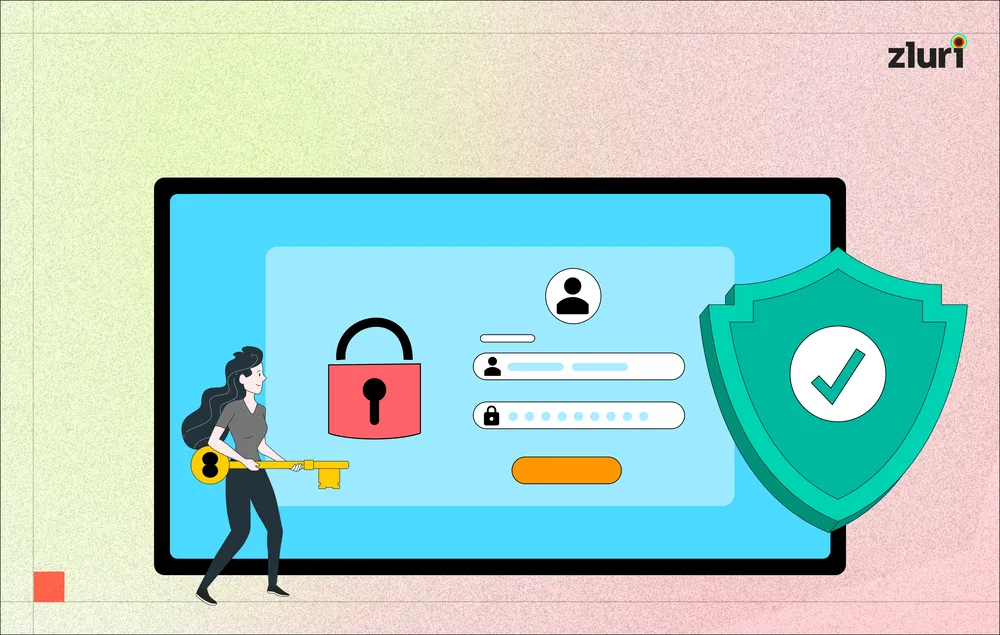
To protect user privacy, operating systems enforce strict sandbox environments around every installed application. An app cannot independently capture camera feeds, read local contact lists, or query location hardware. It must request explicit permission from the operating system’s security manager.
Once the user approves a permission request, the operating system grants the app a secure token to access the corresponding hardware API. If the user revokes the permission later, the operating system instantly cuts off hardware access, isolating the app from the device’s physical sensors.
Push Notifications and Background Synchronization
Users often receive timely alerts from applications that are not actively running on their screens. Delivery of these alerts relies on specialized background architectures managed by operating system vendors.
                   PUSH NOTIFICATION ARCHITECTURE

  [ App Server ] ──► [ Apple APNs / Google FCM ] ──► [ OS System Daemon ] ──► [ Lock Screen Alert ]
To preserve battery life and memory, operating systems prohibit most closed applications from maintaining constant internet connections in the background. Instead, when a new event occurs—such as receiving a private message—the service’s backend sends the alert to a central gateway operated by the platform vendor (such as Apple Push Notification service or Firebase Cloud Messaging).
The platform vendor maintains a single, low-power connection to the physical phone. When a payload arrives at the device, the operating system wakes up just long enough to display the visual banner on the lock screen, leaving the main application dormant until the user taps the notification.
System Security: Encryption, Authentication, and Isolation
Mobile applications manage significant volumes of sensitive personal data, including payment credentials, personal identifier records, and private communications. Protecting this information requires defense mechanisms at every stage of the data pipeline.
                          MOBILE SECURITY PIPELINE
                                     │
       ┌─────────────────────────────┼─────────────────────────────┐
       │                             │                             │
       ▼                             ▼                             ▼
[ Transport Security ]      [ Identity Verification ]     [ Operating System Isolation ]
  - TLS / HTTPS Encryption    - OAuth 2.0 & JWT Tokens      - Application Sandboxing
  - Certificate Pinning       - Biometric Validation        - Encrypted Local Storage
- Transport Layer Security (TLS): All data traveling between the mobile application and backend services is encrypted using HTTPS protocols, preventing unauthorized third parties from intercepting raw traffic on public networks.
- Authentication Tokens: Rather than storing user passwords locally, apps exchange login credentials for temporary, cryptographically signed tokens. These tokens are stored inside secure, hardware-encrypted vaults on the phone.
- System Sandboxing: Operating systems isolate each application’s file storage, preventing malicious software from reading the local data files of adjacent apps installed on the same device.
Performance Optimization and Modern Software Evolution

The perceived speed of an application relies heavily on proactive engineering optimization. Developers employ multiple techniques to ensure smooth performance across varying network speeds and hardware capabilities:
[ Payload Reduction ] ──► [ Asset Compression ] ──► [ Predictive Caching ] ──► [ Lazy Loading ]
Engineers minimize network latency by compressing image assets, lazy-loading off-screen content, pre-fetching likely user actions, and reusing open database connections. Code efficiency, memory management, and intelligent data caching separate applications that feel immediate from those that lag under heavy usage.
Furthermore, application development does not conclude at launch. Continuous delivery pipelines allow engineering teams to release regular updates that patch security vulnerabilities, refine user interfaces, adapt to updated operating system requirements, and incorporate machine learning models for personalized experiences.
Understanding these underlying structural components illuminates the engineering required to support daily digital interactions. Behind every smooth tap, scroll, and transaction operates an interconnected ecosystem of local code, secure communication channels, and remote computing power engineered to deliver results in seconds.
FAQs
1. How do mobile apps work?
Mobile apps combine a user interface, app logic, APIs, servers, and databases to deliver features and services.
2. Do all mobile apps need the internet?
No. Some apps can work offline, while others require an internet connection for data and online services.
3. What is an API in a mobile app?
An API allows the app to communicate with external servers, services, and databases.
4. How do apps keep user data secure?
Apps use methods such as encryption, secure authentication, permissions, and protected data storage.
5. How are mobile apps updated?
Developers release new versions through app stores to add features, fix bugs, improve performance, and strengthen security.